In this article
An off-the-shelf booking system is enough for most salons, clinics and studios whose main need is for clients to book on their own, at any time and without a phone call. A custom booking system pays off once the booking feeds into the rest of your business: client records, stock, rentals, contracts or your own rules that a ready-made tool cannot handle. Here is how to decide.
What a good booking system should do
A good booking system shortens the path from interest to appointment and saves you phone calls. Ready-made or custom, it should handle the following:
- Booking without sign-up or a phone call, even at eleven at night and on a phone.
- Picking a specific service with price and duration, ideally preselected from the site.
- Free slots based on your settings: opening hours, capacity, breaks, several staff.
- A confirmation and a reminder for the client and for you, by e-mail or SMS.
- No double bookings and a clear calendar for the team.
- A look that matches your site, so the client does not feel they have gone somewhere else.
The most common mistake is not a bad tool but a bad connection. When a client finds a service on the site and then has to search again inside the booking, some people give up.
Where people arrive from matters just as much. For salons and studios it is often Instagram or the Google business profile. The link from both should lead straight to booking, not to a home page where the client still has to find their way.
Off-the-shelf booking: when it is enough
A ready-made booking system is enough when you need the standard set: services, staff, a calendar and reminders. It is proven, quick to set up and you pay a monthly subscription for it.
We connect it to the site as an add-on: a proven tool (such as Reservio or Reservanto) matched to the site's design, so booking feels part of it. The connection costs from CZK 1,900, the tool itself is paid separately to its provider.
Off the shelf usually works when:
- You book services with a fixed duration (treatments, consultations, lessons).
- You do not need the booking to create other records in your business.
- You have one location and simple cancellation rules.
Expect, though, that you adapt to the tool, not the other way round. The booking window can only be matched to your look so far, client data sits with the tool's provider, and the monthly plan may grow with each new staff member or location. For a start that is usually fine, it is just good to know up front.
When a custom booking system pays off
A custom booking system pays off when the appointment is only the first step and more work follows, work you now do in a notebook, a spreadsheet or e-mails. Then there is little sense in paying for several third-party tools that do not talk to each other.
- The booking should link to the client's record, history and notes.
- Stock, a rental, an order or a contract follows.
- You have your own rules a ready-made tool cannot handle (different appointment types, days with an outside specialist).
- You do not want to pay a third party every month and want to keep the data yourself.
- You want one overview of the whole business, not five logins.
Off the shelf handles the appointment. A custom system also handles everything that happens after it.
A custom system does not mean building everything from scratch for a year. It is made of modules that make sense for your business: bookings and slots, client records, automated e-mails, stock, contracts, or reports and exports for your accountant. Plus access and roles, so everyone on the team sees only what they need.
Payments, deposits and cancellations
Deposits and cancellations are where ready-made tools differ most. Before choosing one, check whether it can take a deposit at booking, how it handles last-minute cancellations and whether payments can go through your payment gateway.
With a custom system you set the rules yourself: when the deposit is paid, when it is forfeited and what happens to the slot. Connecting a payment gateway, invoicing or a calendar is one of the things we can plug into a system. Automated reminders also help against no-shows, as an add-on from CZK 1,900 plus from CZK 290 a month.
Examples: Molekula and YES DAY
Two of our projects show both routes.
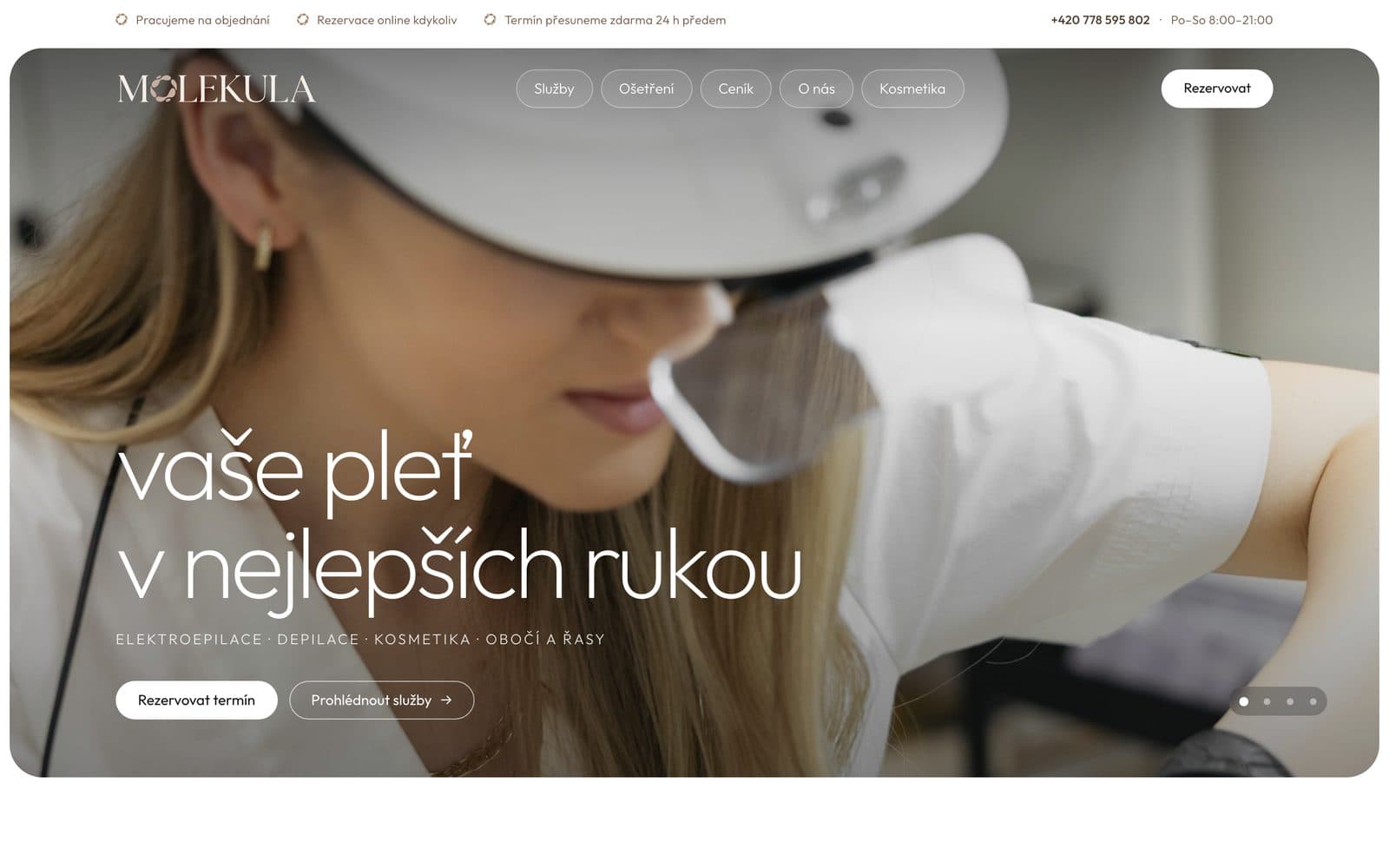
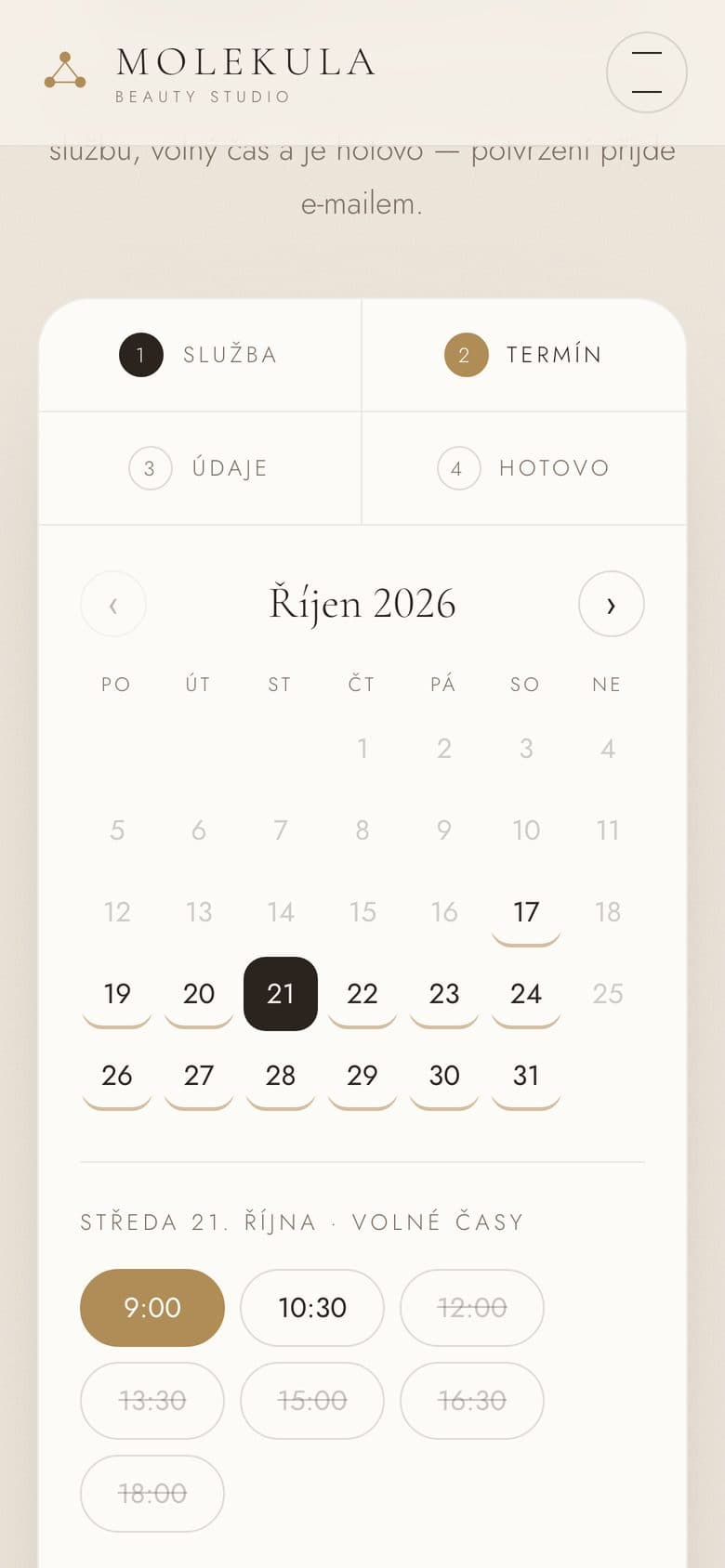
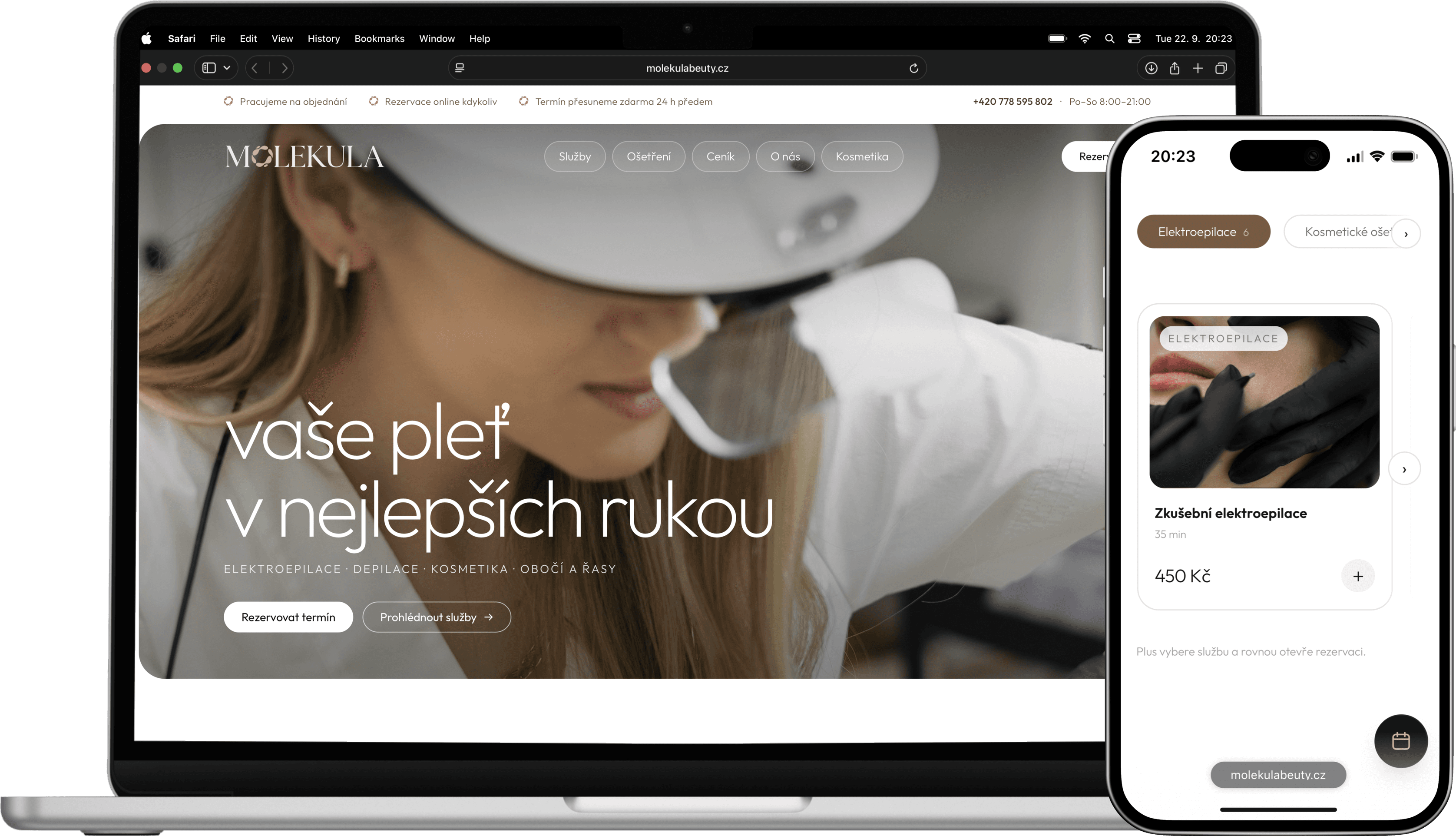
Molekula Beauty Studio in Smíchov had clients walking in off the street and following on Instagram, but appointments were arranged only by phone and messages. We built a site with the whole price list split into five fields, and every service has a button that opens the booking with that treatment already selected. A link from Instagram leads straight to a slot. The site is built so that a custom booking system can be plugged in later without a rebuild.
The bridal salon YES DAY needed more. A dress fitting leads on to choosing a model, a rental, alterations and a contract. So the salon has its own system: bookings land straight in the calendar, the bride and the salon get a confirmation and a reminder the day before, and a contract is issued from the bride's card in one click.
How we do it
We start with a ready-made tool if it is enough, and build the site so you can move to a custom system later. We design a custom system only once we know how your business really runs.
Process and price of a booking system
How long it takes and what it costs depends on the route you take:
- 1A short call: what you book, who delivers it and what happens after the booking.
- 2We recommend a ready-made tool or a custom system, and explain why.
- 3We build a free demo so you can see how booking will look on your site.
- 4A fixed price up front, a 40 % deposit once you approve the demo, the rest after handover.
Connecting a ready-made booking system costs from CZK 1,900 on top of a site that starts at CZK 14,900. A custom system is priced by scope. For the full picture on website prices see How much does a business website cost and our pricing.
Want clients to book on their own? Get in touch, we will go through how you work and build a free demo.
FAQ
- 1
How much does a booking system for a website cost?
Connecting a proven booking tool to your site costs from CZK 1,900, with the tool's subscription paid separately. A custom booking system is priced by scope.
- 2
What is the best booking system for a salon?
For most salons a proven ready-made tool connected to the site is enough. A custom system makes sense when client records, stock or contracts follow the booking.
- 3
Can booking be linked to Instagram?
Yes, the link in your bio can lead straight to booking on your site. At Molekula it leads to the site, where an appointment is one click away.
- 4
How do I reduce no-shows?
Automated reminders before the appointment and clear cancellation rules help. With a custom system you can also set a deposit on your own terms.
Related project
Molekula Beauty Studio
Beauty studio · site with online booking
Full case study ›
Want this on your website?
We build you a free demo. You only pay if you like it.