In this article
A good restaurant website answers four questions before the guest asks them: what you cook, what it costs, when you are open and how to order or book a table. All of it has to work on mobile first, because that is where guests search most. The rest, the photos, the story of the place and the atmosphere, helps them decide, but only after that.
We will show how we approach it on two Prague restaurants: the Italian pizzeria Čelentano in Řepy and the Radlice restaurant U Sv. Anny.
What a restaurant website has to do
A restaurant website should be the shortest path from “I'm hungry” to an order or a booking. It is not about having lots of pages, but about guests finding the essentials straight from the first screen:
- The menu and the daily menu always at hand, clear and readable on a phone.
- Opening hours, address and a map without searching.
- Online ordering or a clear link to where to order.
- Table booking in a few taps, not just a phone number.
- Photos of the food and the room that show where guests are going.
- Speed on mobile, because guests close a slow site and move on.
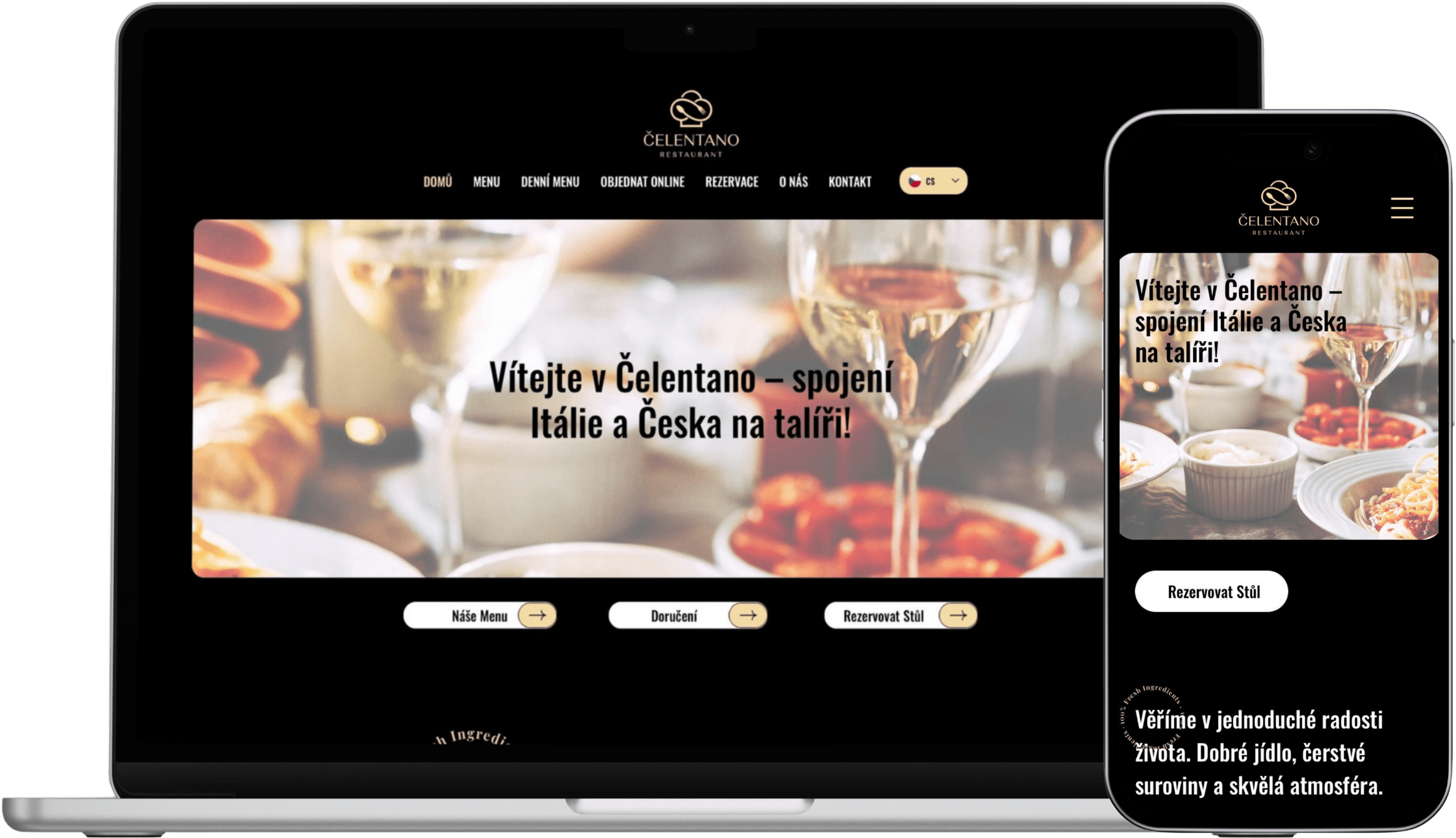
For Čelentano this became a simple navigation: Menu · Daily menu · Order · Book. A guest needs nothing more to decide.
Menu and daily menu: text, not a photo or a PDF
The menu on a restaurant website should be plain text, not a photographed menu card or a PDF to download. Text reads well on a phone, adapts to the screen width and Google can read it and show it in results. A photo or a PDF cannot do that and is awkward to zoom on a phone.
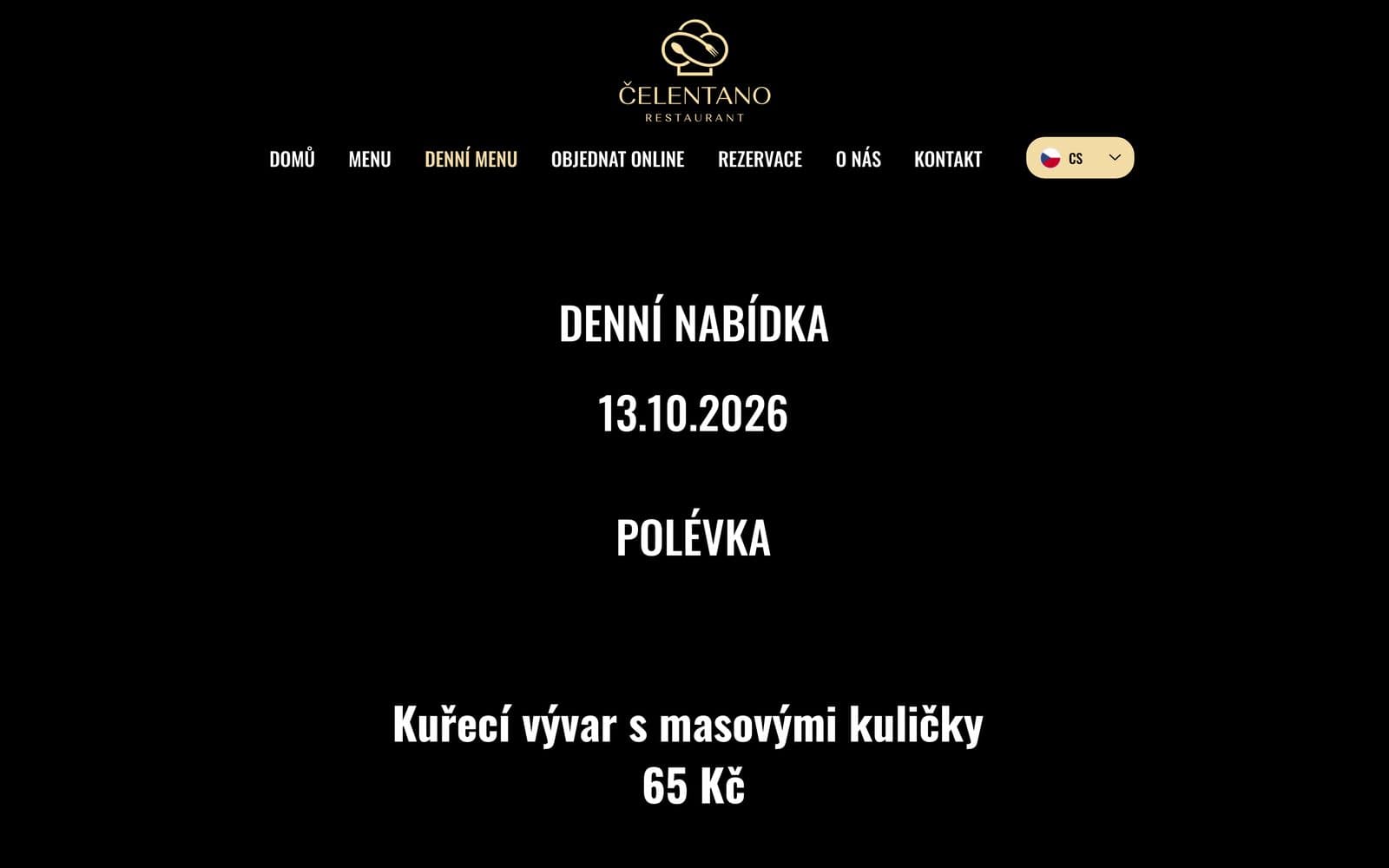
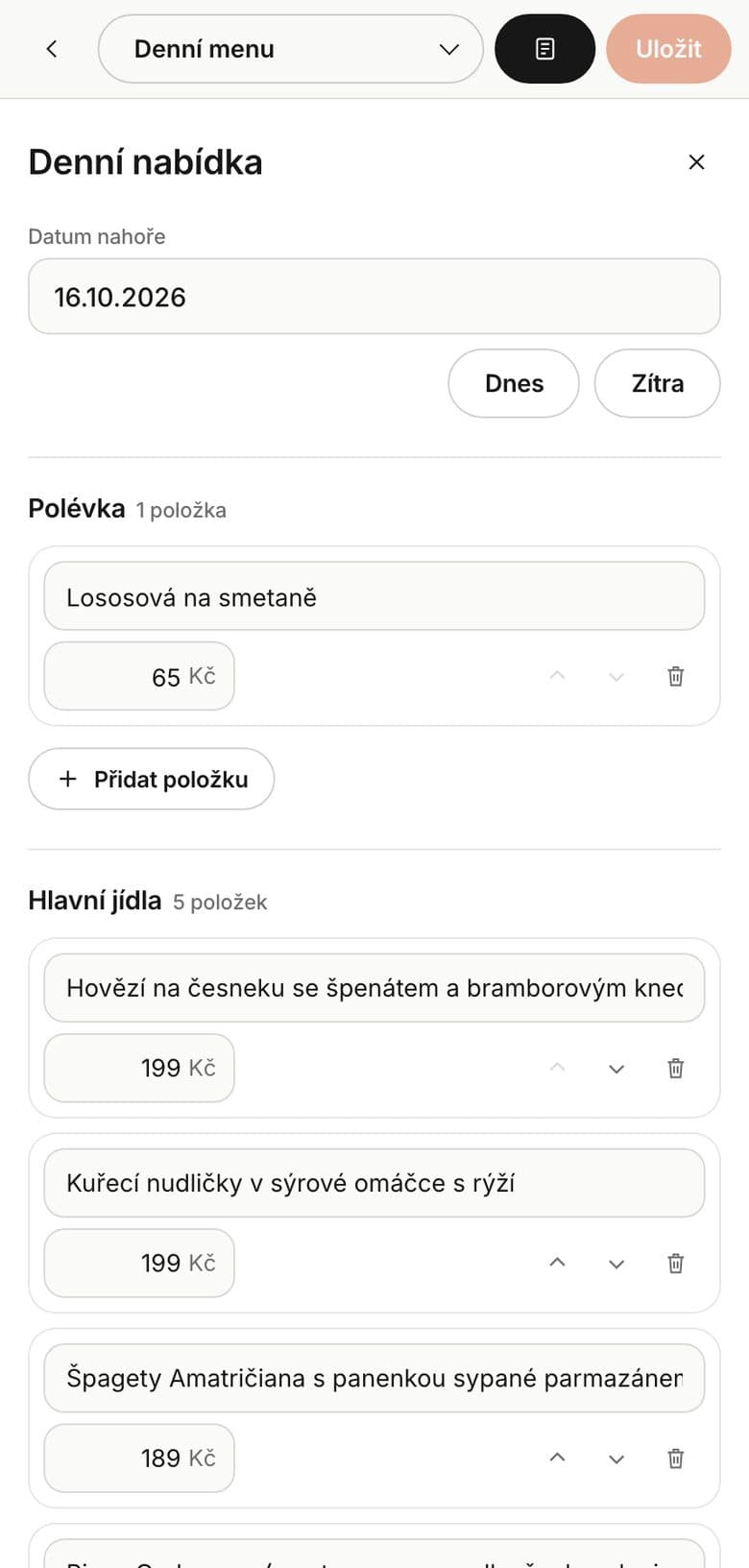
The daily menu is even more sensitive. It changes every day and guests want today's, not yesterday's. So the restaurant should be able to change it itself, quickly and without a developer, and it should be visible right from the first screen.
A few small things make choosing easier: a price on every dish, allergens, vegetarian dishes marked and clear categories. On a phone nobody wants to scroll a long list, they want to find the pizza, the soup or the dessert fast.
How we do it
We build menus as text with prices and categories, so they read well on mobile and Google can index them. At Čelentano both the menu and the daily menu are right at hand on the site, not hidden in a PDF.
Orders and bookings in a few taps
Every step between a guest and an order is another chance for the site to lose them. Ordering and table booking belong in the main navigation and should be visible on every page, not just in the footer.
For table booking, it depends on the place. A smaller restaurant usually manages with a simple form or a proven booking tool connected to the site. Connecting such a tool, matched to the site's design, costs from CZK 1,900 with us, and the tool's subscription is paid separately. When a ready-made tool is enough and when a custom one pays off is covered in Custom booking system or off the shelf.
A restaurant website has to be mobile first
Most guests look for a restaurant on their phone: on the way home from work, on a walk, while making plans with friends. So we design restaurant websites from the phone up: big buttons for thumbs, a menu that takes a few scrolls and no pop-ups covering the content.
Small things matter on mobile too: a phone number you can tap to call, an address that opens navigation and opening hours right under the first photo. A guest standing in the street choosing where to go has no time to search.
Speed is the other half. Google measures page speed and stability (Core Web Vitals) and ranks sites based on their mobile version. Large food photos matter, but they have to be properly resized and loaded gradually, or they slow the site down for nothing.
Photos and atmosphere: the U Sv. Anny example
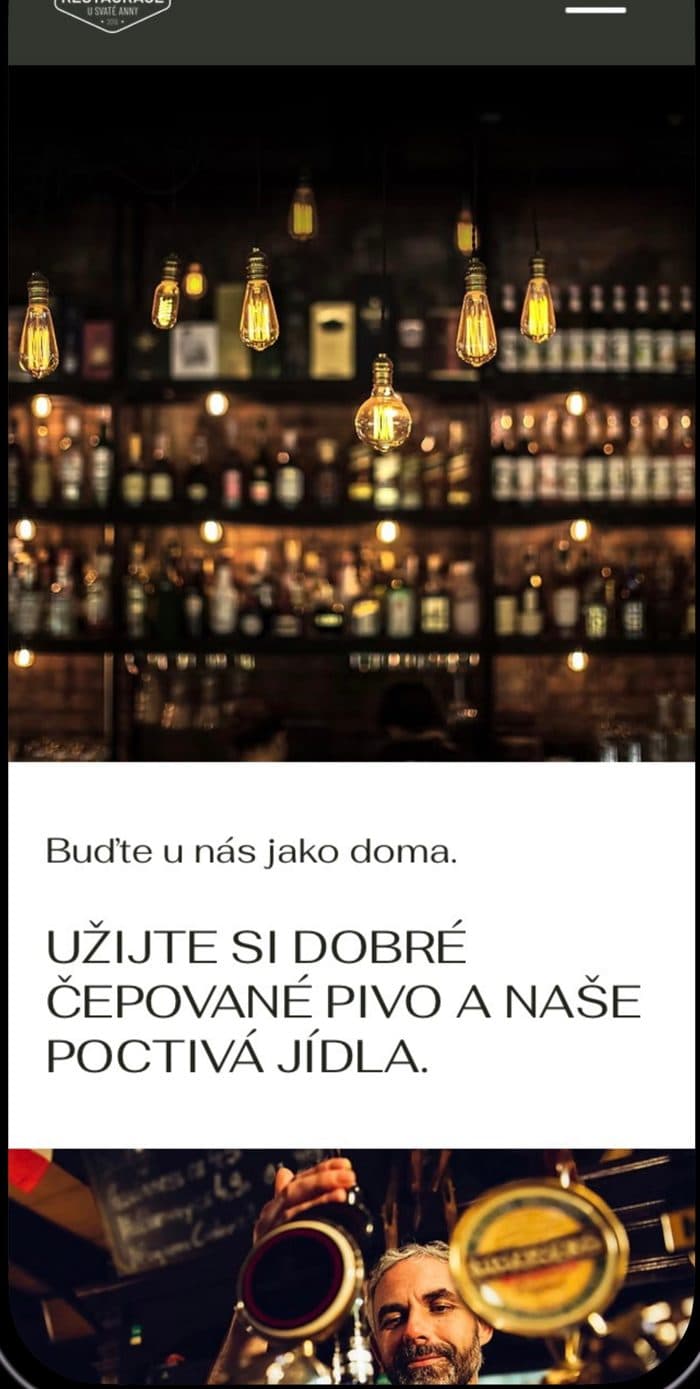
When a restaurant changes owner or concept, the first impression decides. The family that took over the Radlice restaurant U Sv. Anny wanted a fresh start, because the site, the visuals and the interior all felt dated.
We built a new site on large photos, with a simple menu, opening hours and booking in a few clicks. Plus a consistent visual identity in olive and cream, and Instagram with a clear plan: content pillars, a feed look and a weekly plan of posts and stories with the daily menu and news. The site and Instagram feel like one place.
A restaurant sells on its menu and availability. Photos and atmosphere help the guest decide to come to you.
Google Maps and your business profile
Many guests find a restaurant not through its website but through Google Maps and searches like “pizzeria Řepy”. So the site and the Google business profile have to say the same thing: the same name, address, opening hours and a link to the menu.
The business profile should have current photos of the food and the room, a link to the site and the menu, and replies to reviews. When you change your opening hours, change them in both places at once, or guests turn up to a closed door.
With Čelentano we worked on findability from the start: local keywords, speed on mobile and a menu Google can read. The restaurant is in a shopping centre, so it mattered that guests see straight away exactly where it is. More on local SEO in Why Google can't find you.
What a restaurant website costs
A simple restaurant site with the menu, opening hours, a map and contact fits the One-page package from CZK 14,900. More pages, a daily menu, galleries and copywriting match the Custom site from CZK 24,900. Online ordering, booking and integrations belong to the Premium site from CZK 39,900, priced by scope.
Website care starts at CZK 490 a month. Our process looks like this:
- 1A short call about how the restaurant runs and what guests should find on the site.
- 2A free demo so you can see how the site will look on mobile.
- 3A fixed price up front, and a 40 % deposit only after you approve the demo.
- 4Launch, Google setup and the balance after handover.
Details are on our pricing page. Want a site guests can order from straight away? Get in touch and we will build you a free demo.
FAQ
- 1
What should a restaurant website include?
The menu and daily menu, opening hours, address with a map, a way to order or book, and photos of the food. All of it fast and clear on mobile.
- 2
Should the menu be a PDF or text?
Text. It reads better on a phone and Google can read it and show it in results, which works far less well with a PDF or a photo of the menu.
- 3
How much does a restaurant website cost?
A simple site starts at CZK 14,900, a multi-page site with a daily menu and gallery at CZK 24,900. Online ordering and booking are priced by scope.
- 4
Is Instagram enough for a restaurant?
Instagram keeps you in guests' minds, but people look up the menu, opening hours and booking on Google. A site and Instagram that link to each other work best.
Related project
Čelentano
Restaurant & pizzeria · Řepy
Full case study ›
Want this on your website?
We build you a free demo. You only pay if you like it.