In this article
A client portal is a place on your website where clients log in and see for themselves how their job is going: which stage it is in, what is done, which documents belong to it and what is needed from them. Instead of an e-mail asking “How is my project going?”, the client opens an overview. You save time on replies and the client knows nobody has forgotten about them.
What a client portal is
A client portal, sometimes called a client zone, is a login for your clients. Each one sees only their own jobs and documents. It is not the public part of the site that Google reads, but a private space connected to how your business works.
The portal does not create anything by itself. Its strength is showing data you already have: job status, dates, contracts, invoices, progress photos. You just no longer send them to everyone by hand.
Clients do not want to ask. They want to know everything is fine.
For the client it means peace of mind. No hunting for an old e-mail with an attachment, no calling and waiting for someone to get back, and a clear view of what is expected of them. For the business it means fewer interruptions and consistent communication, because the whole team and the client look at the same overview. Looking professional comes as a bonus: the job feels well run even when nothing dramatic is happening.
Who a client portal makes sense for
A client portal pays off for businesses where a job takes weeks or months and the client needs updates along the way. Typically construction and fit-out companies, interior studios, agencies, consultants, accountants or architects.
- You answer the same client questions several times a week.
- You send documents by e-mail and clients cannot find them later.
- The job has clear stages the client would like to see.
- You need materials, approvals or signatures from clients and keep chasing them.
- Several people work on a job and each tells the client something slightly different.
If you have a handful of clients a year and meet them all in person, a client portal is overkill. A good website and e-mail will do. We cover when a business needs a system and when just a website in Website or web application?.
Contracts, files, invoices and progress in one place
What goes into the portal depends on your field. Mostly the same building blocks come up, and we put them together around how you work.
- Job progress: stages from enquiry to handover, with what is done and what comes next.
- Contracts: a pre-filled contract from the generator that the client downloads or confirms.
- Files: designs, floor plans, site photos or materials, all attached to the specific job.
- Invoices and payments: an overview of issued invoices, connected to your invoicing tool.
- Tasks for the client: what you need from them, such as approving a design or uploading materials.
- Automated e-mails: a notice that the job has moved on or a document was added.
What matters is that data is created only once. When the team moves a job to the next stage in the admin, the client sees it in the portal straight away and nobody retypes anything. We describe what such an admin looks like from the inside in Website admin without a developer.
Security and access
A client portal handles contracts and invoices, so security is not a detail. Every client logs in with their own account and sees only what belongs to them. The connection is encrypted and access can be revoked at any time, for example when a job ends or the client's contact person changes.
Roles inside the business matter just as much. Not everyone on the team needs to see everything. Sales may see jobs and clients, a technician only their tasks, the accountant only invoices. We set access and roles to match who actually does what in your business.
Do not forget
Agree how long documents stay in the portal and what happens to them once a job ends. Clients appreciate finding their contract a year later, and you stay clear on what data you hold.
What it looks like in practice
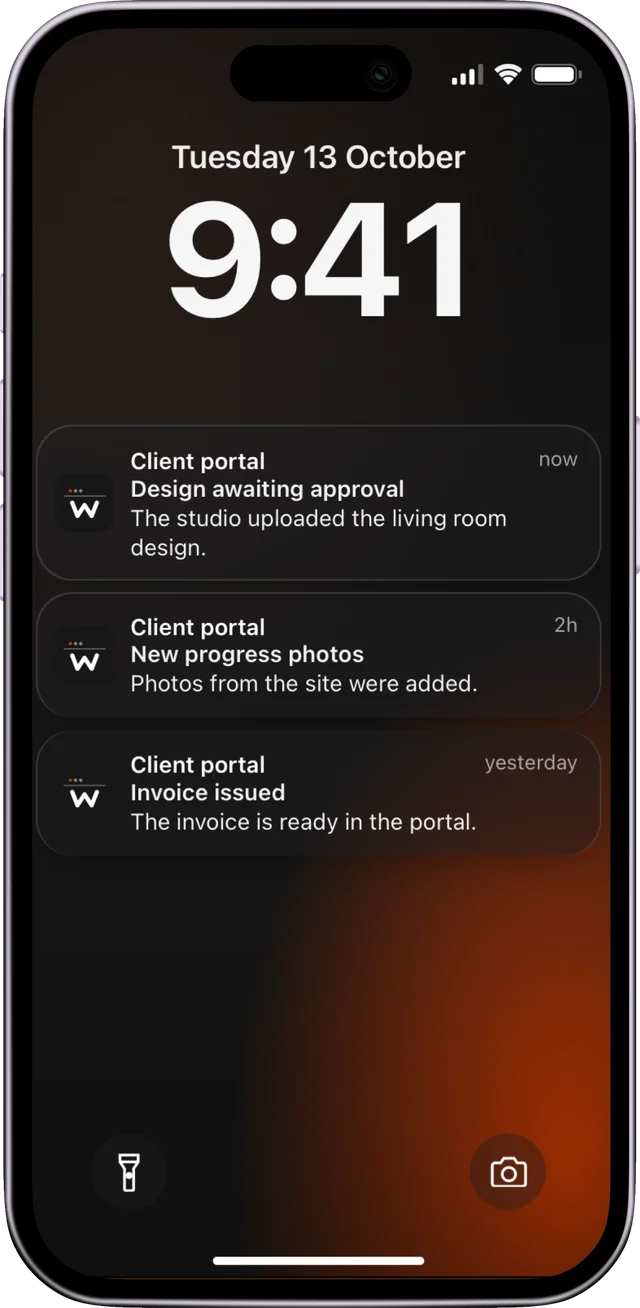
Take an illustrative example of an interior studio. The client signs the contract and gets an e-mail inviting them to the client portal. After logging in they see their job split into stages: survey, design, material selection, fit-out and handover.
- 1The studio uploads a design and the client is notified that it awaits approval.
- 2The client approves it in the portal or adds comments right on the job.
- 3During the fit-out progress photos are added, so the client sees the work moving.
- 4Invoices appear automatically as soon as the studio issues them.
- 5After handover the full documentation stays in the portal for later claims or the next job.
Throughout, the client never has to ask which stage the job is in. And the studio never has to dig for who got which version of the design and when. The same idea works for a construction firm, an agency or a consultant, only the stages and documents have different names.
A client portal or an off-the-shelf tool?
There are general file sharing services, and some industry software offers client access. They may do for a start. A custom client portal pays off when you need progress, documents and invoices joined in one overview, want it in your own brand and do not want to copy data between five tools.
It is usually not a standalone project. A client portal tends to be another module of a system the business already has or is building alongside, for example when it outgrows Excel. More in When a business outgrows Excel.
Price and process
The price of a client portal depends on how many modules you need and which tools it connects to. We agree a fixed price upfront, but first we build a free demo with one of your jobs so you can see how the portal would look. The 40% deposit is paid once you approve the demo, the balance after handover.
Indicative prices for websites and modules are in our pricing. Spending hours answering the same client questions? Write to us with how a job runs today from signing to handover, and we will show you how it could work in a client portal.
FAQ
- 1
What is a client portal on a website?
A private part of the website where clients log in to see their job progress, documents, invoices and tasks. Each client sees only their own data.
- 2
Is a client portal secure?
Every client has their own login and sees only what belongs to them, and the connection is encrypted. Inside the business, access is set by role.
- 3
How much does a custom client portal cost?
It depends on the number of modules and the tools it connects to. We agree a fixed price upfront and build a free demo first.
- 4
Can a client portal connect to invoicing?
Yes, a custom system can connect to your invoicing tool, calendar or payment gateway, so invoices show up in the portal by themselves.
Want this on your website?
We build you a free demo. You only pay if you like it.